Proofpoint CASB FAQ
What is Proofpoint CASB?
Proofpoint CASB is a service that helps ensure files within the Fordham Google Drive and OneDrive accounts that may contain Fordham Protected or Fordham Sensitive data are stored and shared appropriately and securely.
Why does Fordham have Proofpoint CASB?
Fordham is obliged to the University community to protect information from unauthorized access and illicit use. The Office of Information Technology is a partner in carrying out that obligation to ensure we use all available means to manage secure data by best practices and compliance regulations. For example, Proofpoint CASB ensures that protected and sensitive data within a Fordham member’s Google Drive account or OneDrive account is stored and shared appropriately and securely.
Is Proofpoint CASB looking at my Google Drive files?
Proofpoint CASB assesses files in Fordham Google Drive and OneDrive accounts and looks for patterns within those files that match those of protected and sensitive data, such as Social Security, credit card, or Fordham ID numbers, and may not be shared securely per Fordham’s Data Classification and Protection Policy.
Is Proofpoint CASB making changes to my Google Drive files?
Proofpoint CASB is not making any changes to the data within the files, only the sharing permissions of files in Fordham Google Drive accounts that contain 100 or more unique instances of data classified as Fordham Protected or Fordham Sensitive and have the sharing permissions set to “Public on the web,” “Public with a link,” “Domain-wide,” or “Domain-wide with a link” may have the sharing permissions modified to be “Restricted” so you can only access the files.
What is considered Protected and Sensitive data?
Protected data contains personally identifiable information (PII) such as Social Security and credit card numbers. Sensitive data is deemed sensitive based on internal standard operating procedures. You can read more about how data is classified within Fordham’s Data Classification Guidelines. The Data Classification describes regulations and policies governing protected and sensitive data. Use it to determine where your files are stored.
Please click here for a list and explanation of the various types of sensitive data that Fordham actively monitors via our DLP rules.
What does Proofpoint CASB do when it finds a file with protected and sensitive data?
If Proofpoint CASB finds protected or sensitive data in a file. You will receive an alert from “[email protected],” notifying you that the file was shared inappropriately. The file is not modified, but when you receive the alert, it is advised that you perform the following steps:
On Google Drive:
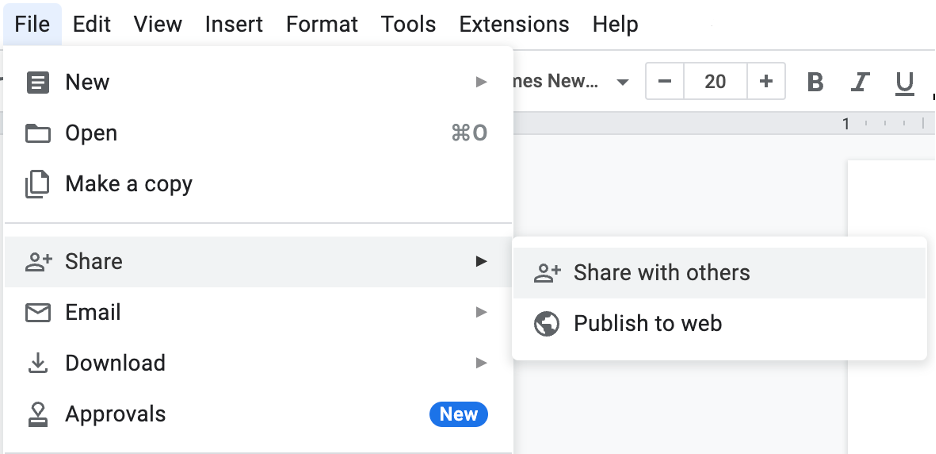
1. While viewing or editing the shared file, from the drop-down menu, select File > Share > Share with others
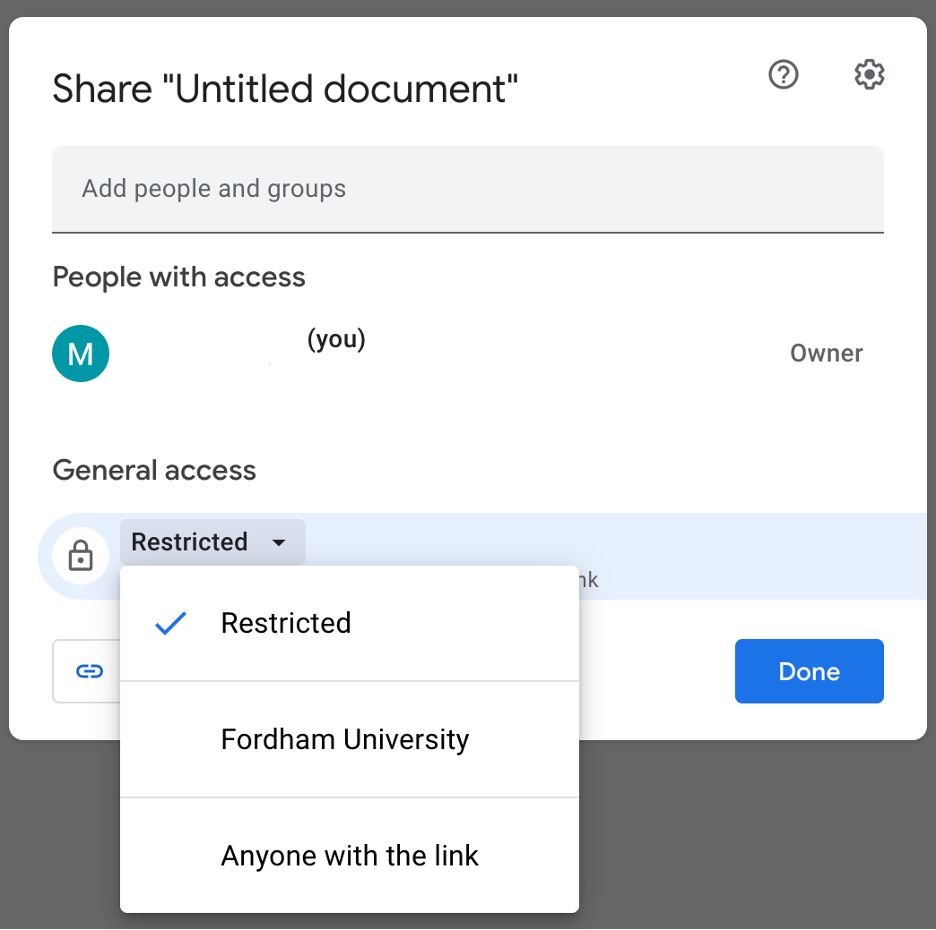
2. A new pop-up will appear. Under the “General access” section, “Restricted” should be selected to allow you to share the document with particular users.
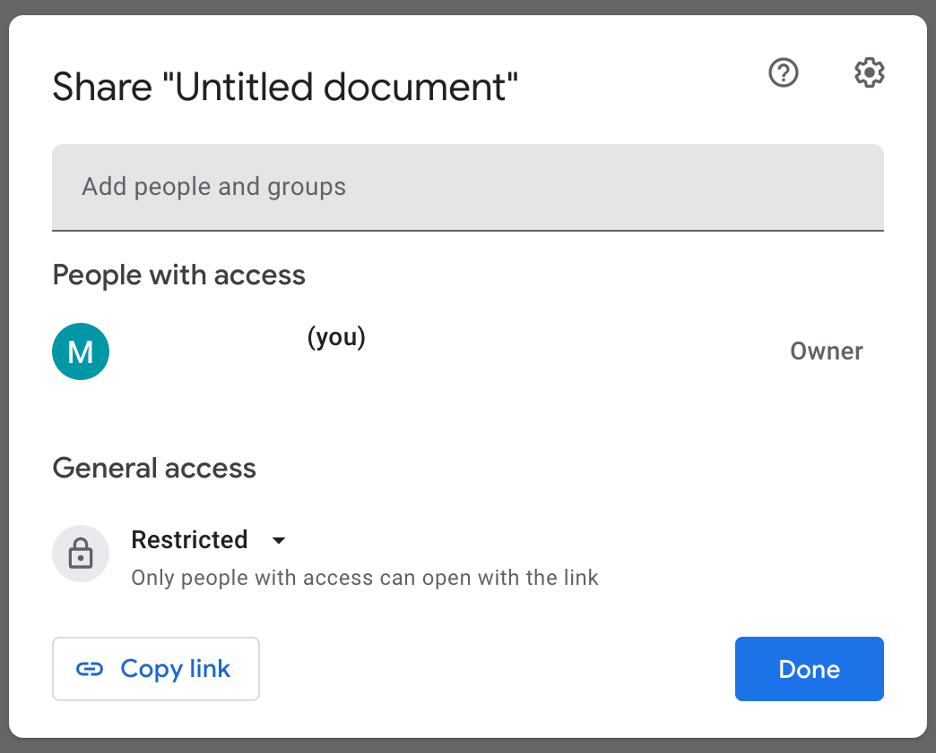
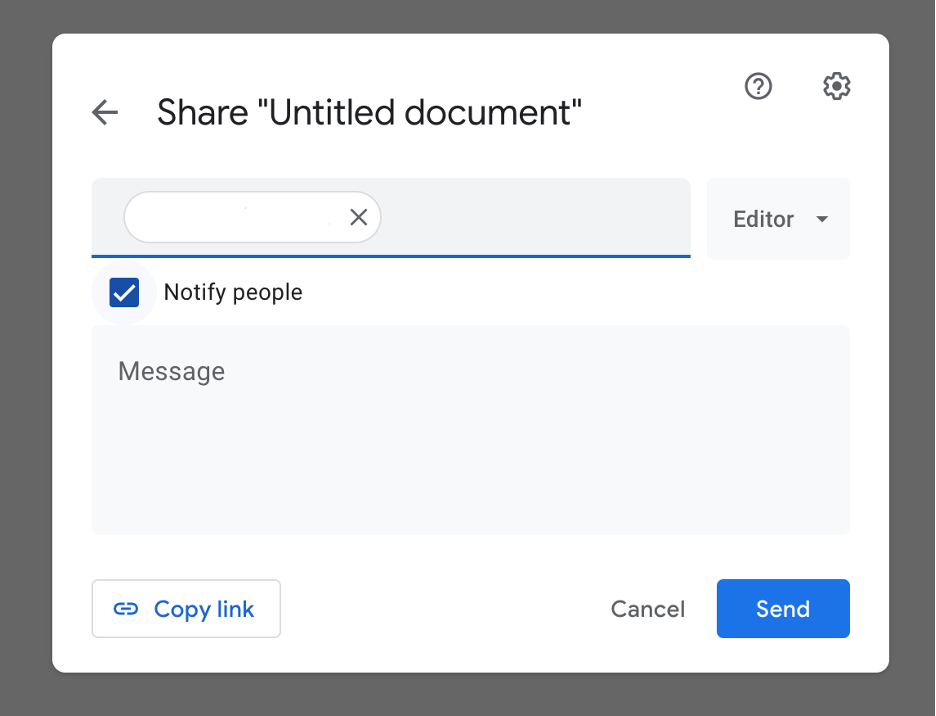
3. In the “Add people and groups” section, add the names of the individuals you would like to share the file with. Click Done.
4. If you would like to add a message before notifying the user and sharing the document, an option appears on the next pop-up. Select “Send.”
On Microsoft OneDrive:
1. While viewing or editing the shared file, from the “File” menu, select “Share”…
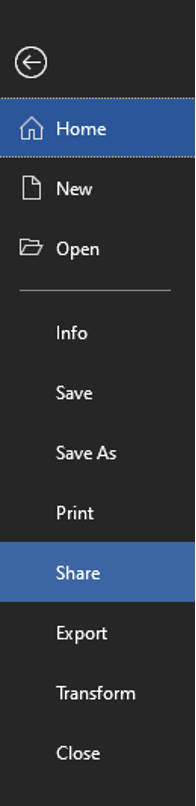
2. On the menu that pops up, click the three dots in the upper right corner, then click “Manage access.”
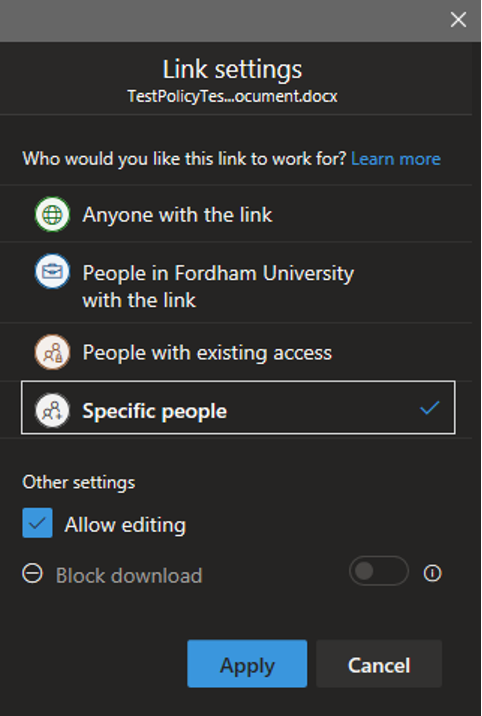
3. Click the three dots next to the sharing link on the next menu, then hit the X to remove the link. Then click “Save” or the back arrow.
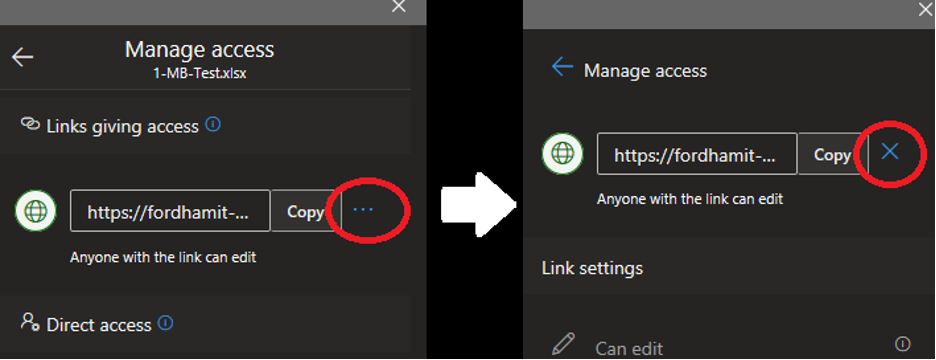
4. The file should only be shared with specific people when the sharing is removed. Uncheck “Allow editing” if you want the recipients only to be able to read the file and not change it.