RamCentral
For Students, Advisors, Faculty, Staff
Overview
RamCentral is the university’s digital hub connecting students with advising and campus resources. It is the centralized location for undergraduate students to plan academics, seek guidance, access advising, manage support requests, and more. We’re constantly expanding resources and adding new RamCentral features to ensure everything you need is always within reach.
Go to RamCentral for Students →
Go to RamCentral for Employees →
If you are eligible to use RamCentral, you can access it via the buttons above or via the Fordham.edu portal → My Apps → Common Tools → RamCentral.
RamCentral Resources
-
Resources Integrated in RamCentral
RamCentral resources are tailored to each student based on their college and standing. Some of the resources available on RamCentral include:
- Academic Advising for FCRH and FCLC Undergrad Students
- Gabelli Academic Undergrad Advising
- Undergraduate Academic Advising at PCS
- Office of Mission Integration and Ministry
- Center for Community Engaged Learning
- Enrollment Services
- Prestigious Fellowships
- Career Center
- Rams Involved Community
- And more!
-
Employee Resources & User Guides
-
Student Resources & User Guides
- How to Navigate RamCentral (video)
- Comprehensive Guide for Using RamCentral
- View and Edit Tasks in RamCentral
- View your Success Team
- View Course Schedule
- Create, Track, and Update University Support Cases
- Schedule appointments with Advising
- Schedule appointments with the Office of Mission Integration and Ministry
- Schedule appointments with Enrollment Services
- Manage Academics
- Navigating Career Center Services
- Navigate University Support via RamCentral
RamCentral Mobile App for Students
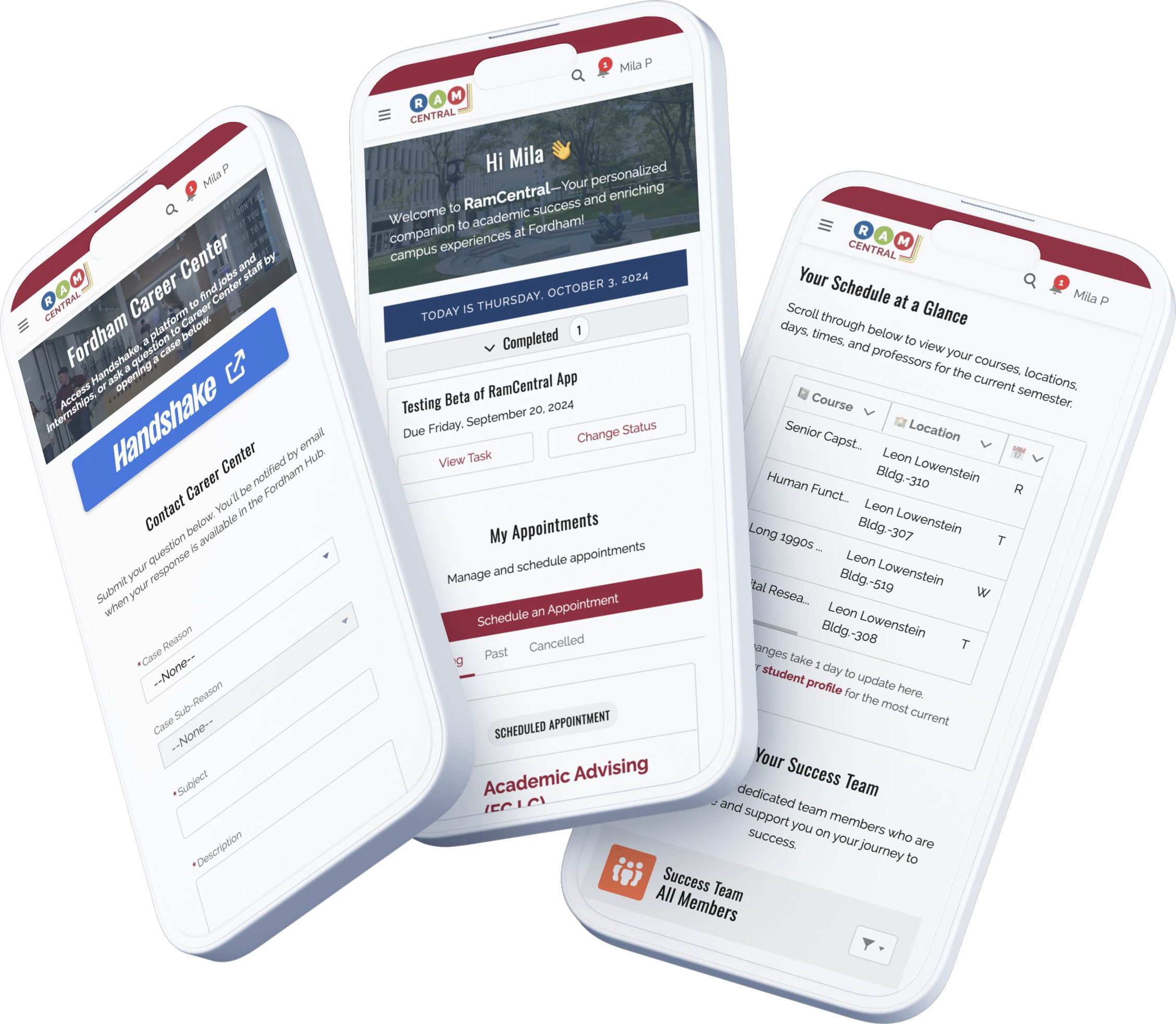
Get the most out of your RamCentral experience on the go! Our new mobile app is now available for download. Connect with your advisors, view your course schedule, and access your support resources all from your phone.